
Software
Access the WinTune™ Software
Use WinTune™ to code compatible optics through a Windows-based platform. The software connects to the cloud, so your code library stays current without manual database updates or Java.
Access WinTune™ →Documentation
WinTune™ User Manual
View setup steps, programming instructions, and basic troubleshooting guidance for using WinTune™ with your programming box.
Download PDFWhy Use WinTune™?
Current code library
Access coding support for 100+ OEM environments and thousands of transceiver SKUs without maintaining local databases.
Straightforward programming
Select the platform, connect the optic, and program it without scripts, command-line steps, or extra guesswork.
Built-in diagnostics
Check optics before deployment with diagnostics for SFP, SFP+, SFP28, XFP, QSFP+, QSFP28, and QSFP-DD form factors.
Ready for office or field use
The USB-C connection and padded carry case make the kit easy to use at a desk or in the field.
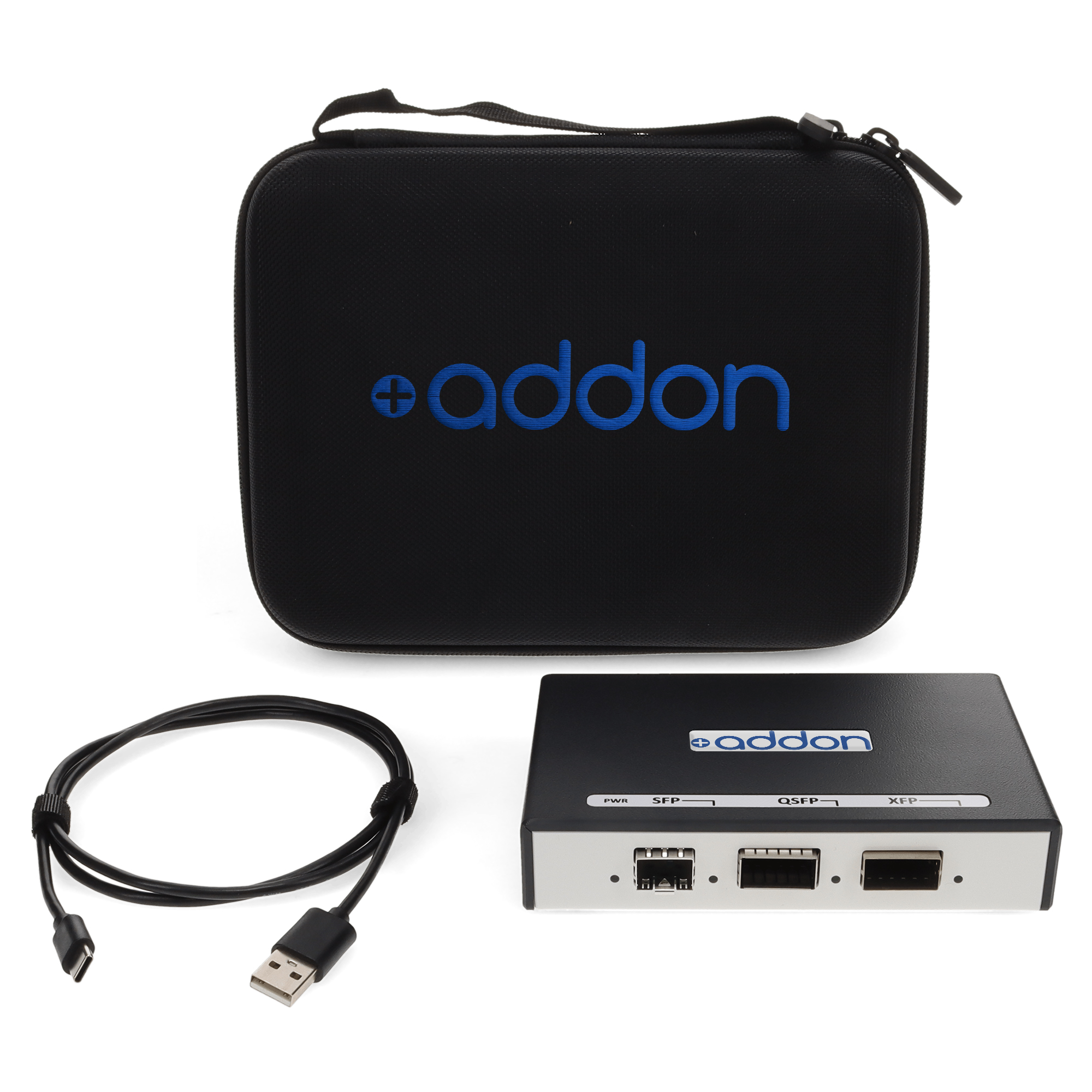
New to WinTune™? Start with the Programming Box Kit.
SKU: ADD-PBOX-KIT · Programming box, USB-C cable, and padded carry case
View Product DetailsNeed help with legacy ProTune™ coding and tuning software? Contact AddOn Support at support@addonnetworks.com.